
Article Illustrator
Installs
59
Category
image
Illustrate Any Article
Analyze content structure, identify key positions, generate illustrations with Type × Style × Palette consistency
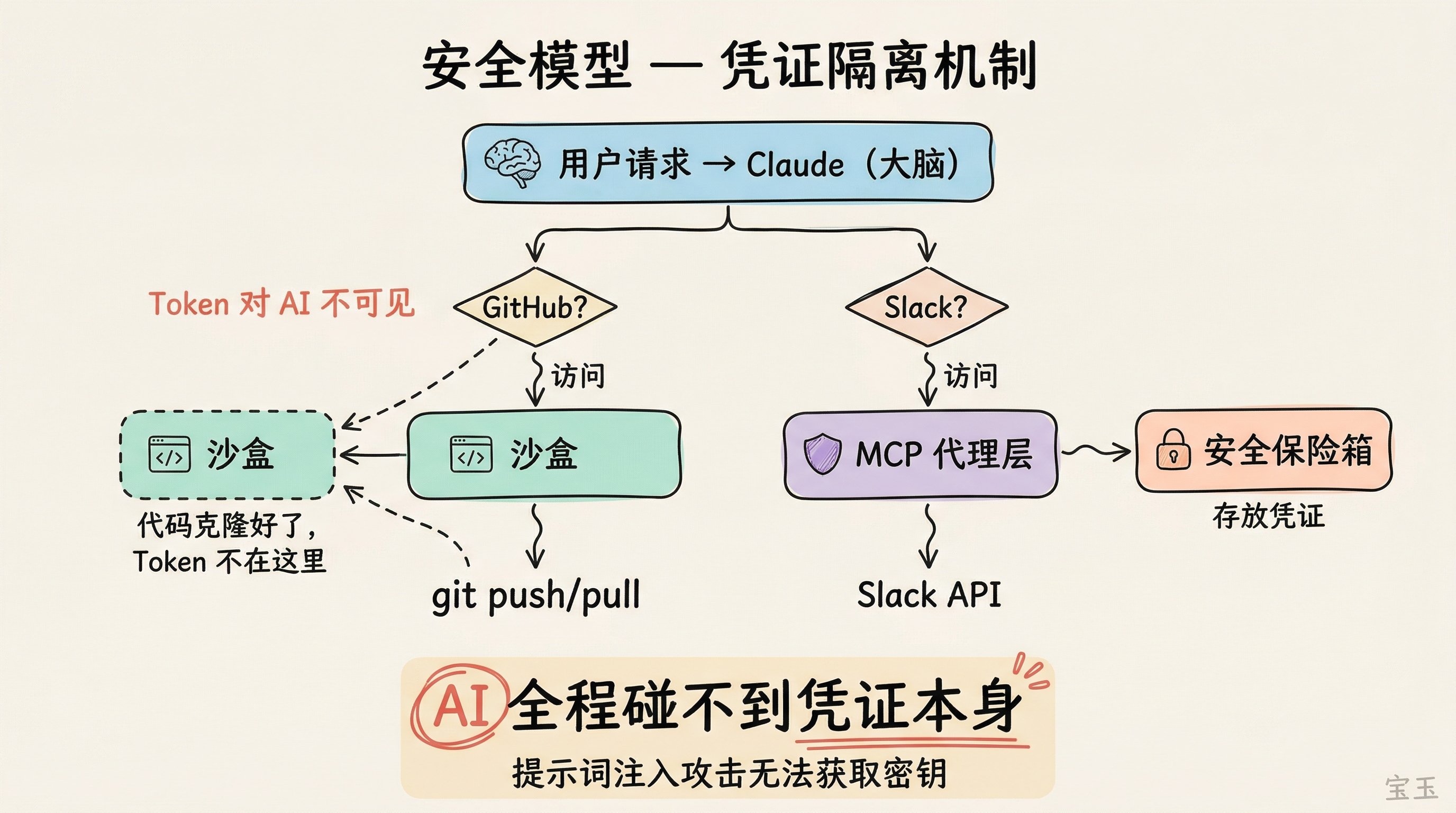 Flowchart
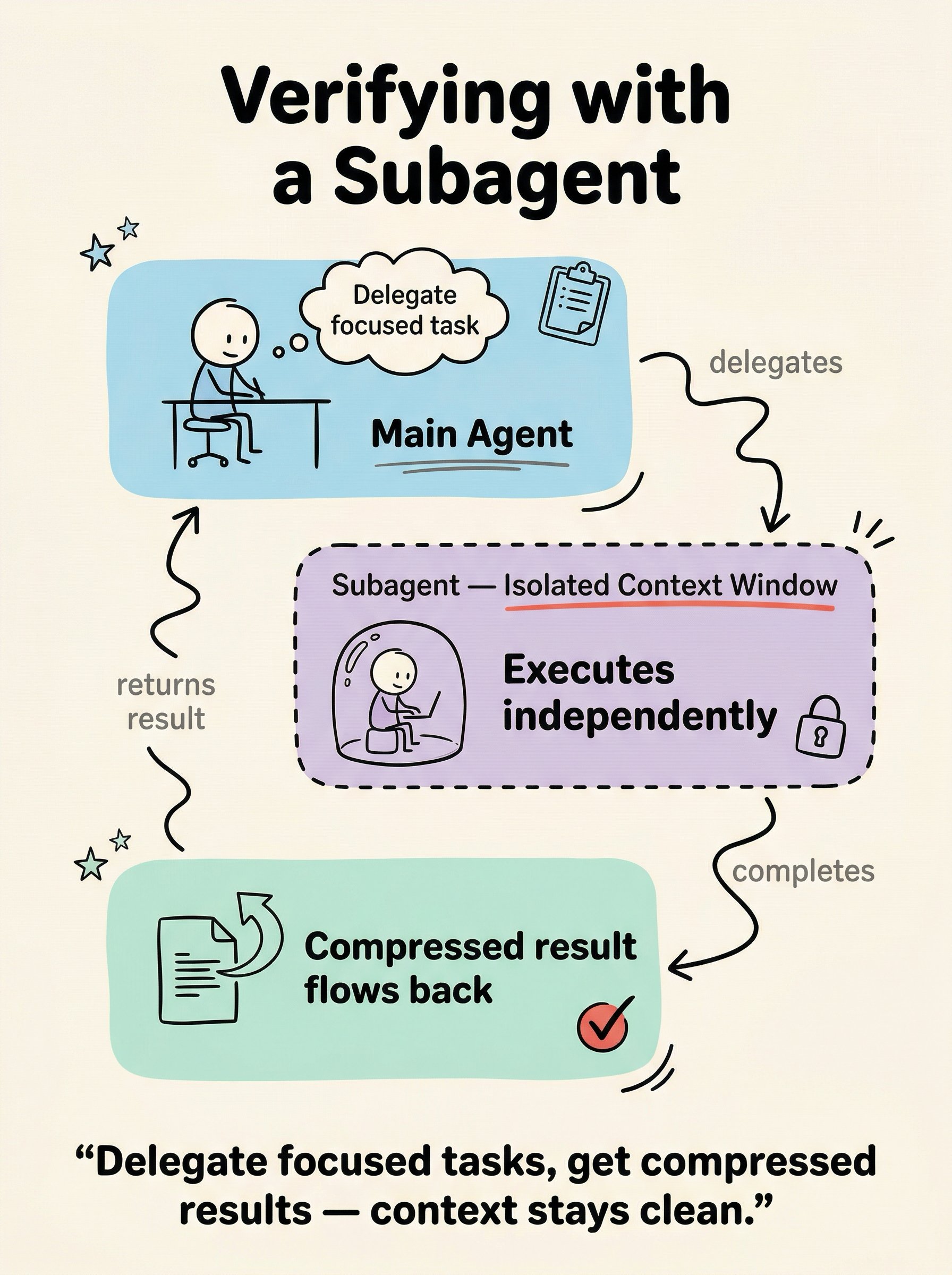 Scene
Scene
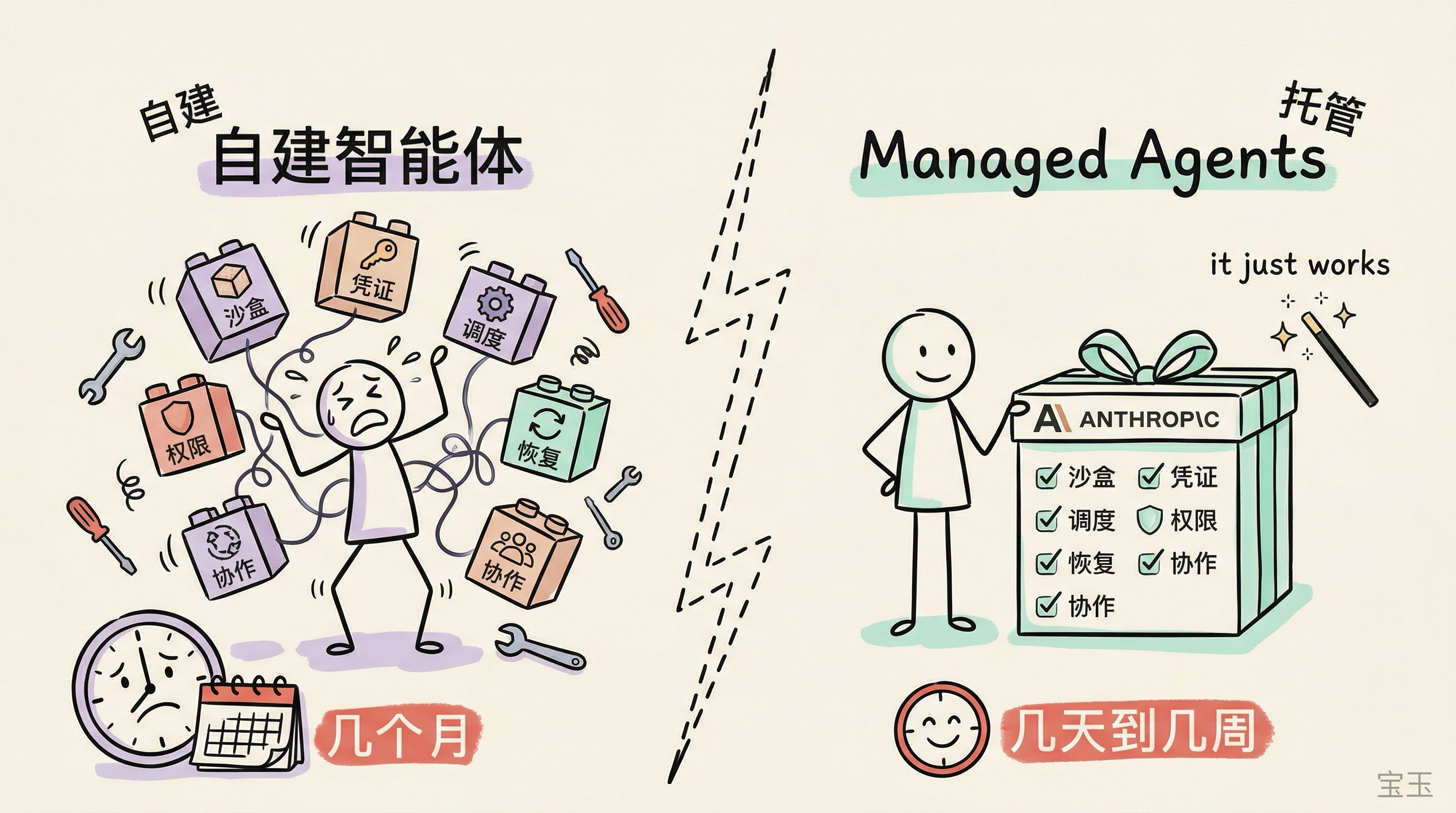 Comparison
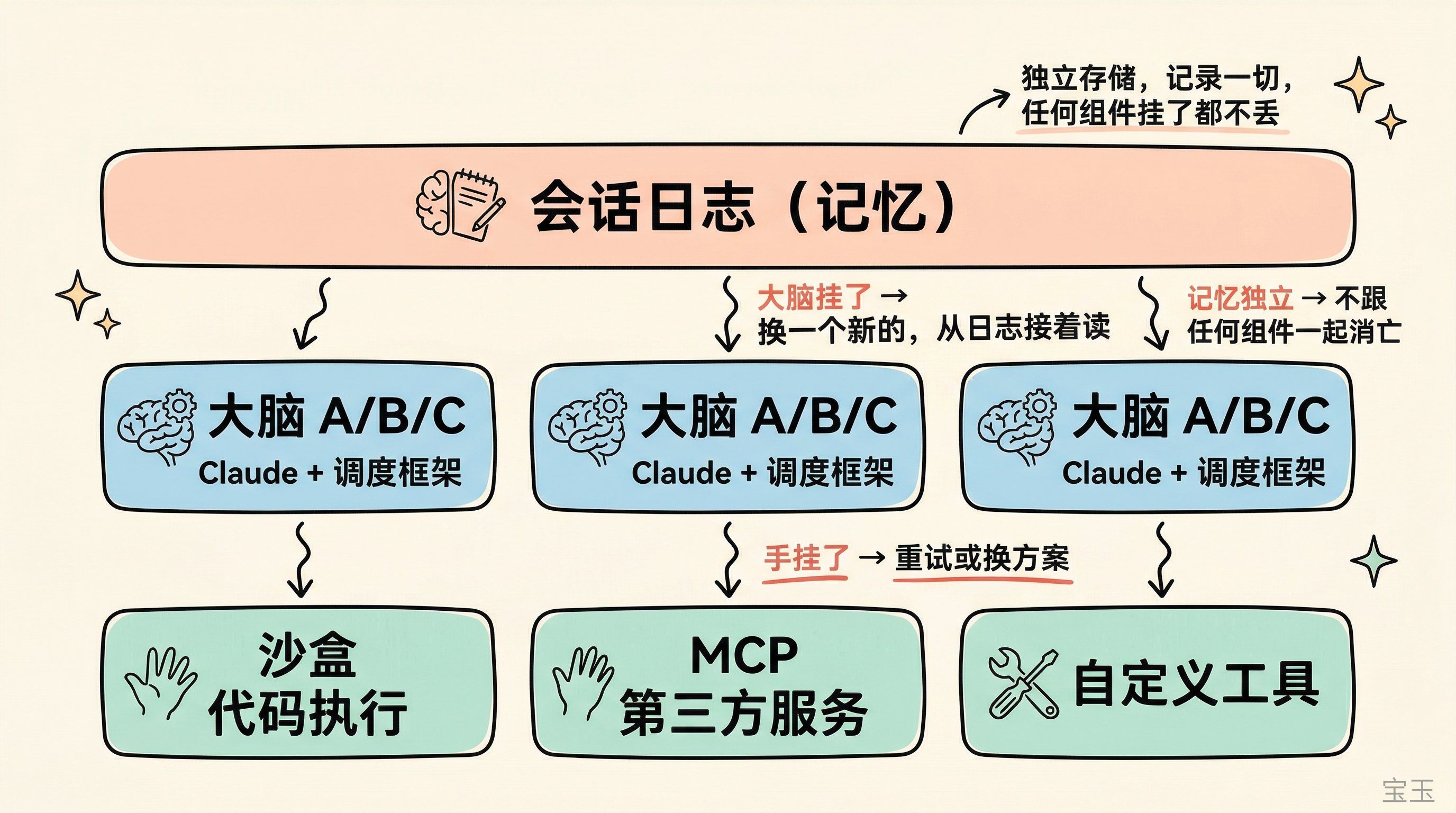 Framework
What Is Article Illustrator
This skill turns written articles into article-plus-illustration sets. It is not random decoration — every illustration has a position justified by the content, a type chosen for the information shape, and a style that reinforces comprehension.
Use it when the output should be:
- a technical article with diagrams at key arguments
- a tutorial with step illustrations
- an opinion piece with poster-style visuals
- a knowledge post with infographic summaries per section
If the task is a standalone infographic (no article), use infographic instead.
If the task is a comic explainer, use knowledge-comic instead.
Three-Dimension System
Every illustration decision splits into three independent axes:
| Dimension | Controls | Examples |
|---|---|---|
| Type | Information structure | infographic, scene, flowchart, comparison, framework, timeline |
| Style | Rendering approach | notion, warm, blueprint, vector-illustration, screen-print |
| Palette | Color scheme (optional) | macaron, warm, neon — overrides style's default colors |
Combine freely. Or use presets that bundle all three — see style-presets.
Do not blur these together. "Blueprint" is a style, not a type. "Flowchart" is a type, not a style.
Types
| Type | Best For |
|---|---|
infographic | Data, metrics, technical concepts |
scene | Narratives, emotional content |
flowchart | Processes, workflows, tutorials |
comparison | Side-by-side, options, trade-offs |
framework | Models, architecture, principles |
timeline | History, evolution, milestones |
Styles and Palettes
Read:
- styles for the full gallery and Type × Style compatibility matrix
- style-presets for preset shortcuts (type + style + palette in one flag)
- Individual style specs in
references/styles/<style>.md - Individual palette specs in
references/palettes/<palette>.md
Workflow
1. Analyze the article
Before anything visual, understand the content:
| Analysis | Output |
|---|---|
| Content type | Technical / Tutorial / Methodology / Narrative |
| Purpose | information / visualization / imagination |
| Core arguments | 2-5 main points to visualize |
| Positions | Where illustrations add value (not decoration) |
Critical: If the article uses metaphors (e.g., "电锯切西瓜"), visualize the underlying concept, NOT the literal image.
What to illustrate:
- core arguments (required)
- abstract concepts that benefit from visualization
- data comparisons, processes, workflows
What NOT to illustrate:
- metaphors literally
- decorative scenes that add no information
- generic stock-image-style illustrations
2. Confirm settings with the user
One round of questions, max 4. Recommend based on content analysis.
| Question | Options |
|---|---|
| Preset or Type | Recommended preset, alternative preset, or manual type selection |
| Density | minimal (1-2), balanced (3-5), per-section, rich (6+) |
| Style | Skip if preset chosen. Otherwise recommend from styles |
| Palette | Optional. Default uses style's built-in colors. Override with macaron/warm/neon |
Use the content type → preset mapping in style-presets to make the recommendation.
3. Research models
pica prompt find "infographic"
pica skill find "banana prompting"
pica model search "image generation"
pica model info <model-id>
Choose the model based on what the illustrations need. Text-heavy infographics need text-strong models. Scene illustrations need atmosphere-strong models. Do not assume one model fits all types.
4. Build the outline
For each illustration, define:
- Position: which section/paragraph it follows
- Purpose: why this illustration helps the reader
- Visual Content: what to show
- Type Application: how the chosen type applies here
- Filename:
NN-{type}-{slug}.png
Present the outline to the user for confirmation before generating.
5. Construct prompts and generate
For each illustration:
- Build the prompt using type-specific templates from prompt-construction
- Include actual data from the article — real numbers, terms, metrics, not placeholders
- Apply style rendering rules from
references/styles/<style>.md - Apply palette override from
references/palettes/<palette>.mdif specified
Generate:
pica generate \
  --model <model-id> \
  --kind image_generation \
  --input '{
    "prompt": "<constructed prompt>"
  }'
After each generation, show the result and ask for feedback before continuing to the next illustration or iterating on the current one.
6. Finalize
Insert markdown image references into the article at the planned positions:

Prompt Construction Principles
Good illustration prompts must include, in this order:
- Layout structure — composition, zones, flow direction
- Specific data/labels — actual content from the article
- Visual relationships — how elements connect
- Semantic colors — meaning-based color choices
- Style characteristics — line treatment, texture, mood
- Aspect ratio — typically 16:9
Full templates per type: prompt-construction
Iteration Rules
When a draft fails, diagnose which layer failed:
- hierarchy wrong → rewrite layout structure
- layout family wrong → choose different type, not just reword
- labels wrong → shorten and specify text
- too crowded → reduce content or switch to denser type
- too sparse → add content or switch to sparser type
- style wrong but structure works → only change style language
Do not rewrite the whole prompt when only one layer failed.
Common Failure Modes
- describing an illustration instead of a structured layout
- omitting exact text labels and data from the article
- illustrating metaphors literally
- no clear position justification for an illustration
- chasing style before information architecture works
- using scene type for content that should be infographic
- generating all images before getting feedback on the first one
Related Skills
pica skill find "infographic"— standalone structured infographicspica skill find "knowledge comic"— comic-style explainerspica skill find "banana prompting"— prompt architecture techniques